Research systems
9 minutes read •
Table of Contents
Implementing research systems that scale
The Problem
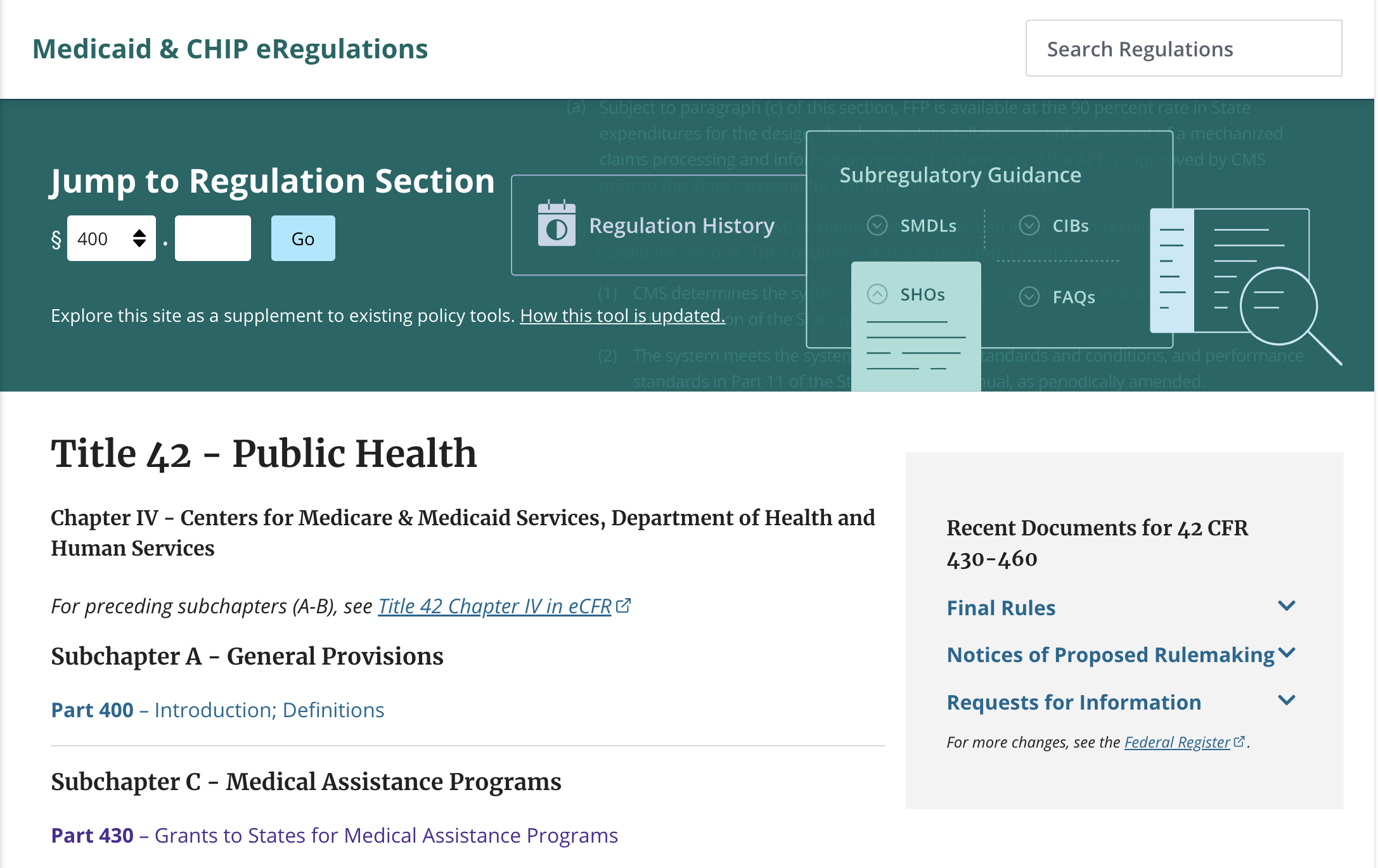
I joined the eRegulations team from the beginning as a half-time designer/researcher, splitting my time between this team and another. Early on, I contributed to research by learning how regulations are structured and used by policy experts and conducting comparative reviews of policy research tools.
But I was watching something troubling happen: the team had completed discovery research, but no one could see how it connected to the next phase of work. There was confusion and frustration. The discovery research existed, but it was organized in a way that only the original researcher understood. The team cared deeply about research, but the current system wasn’t working.
When the researcher moved to another team, I stepped in to take over research. We were at a critical moment: we had mountains of discovery insights and a ton of evaluative research ahead of us. The team needed research to be accessible, usable, and collaborative.
The Approach
Diagnosing the System
I started by mapping the current state: where were research artifacts living? How were they organized? Who could access them? What happened when someone needed an insight?
The answer was scattered: discovery research in one part of the repository, no one understood the structure, templates didn’t exist, and there was no shared understanding about what counted as “research” or “an insight.” We needed a home and a shared vocabulary.
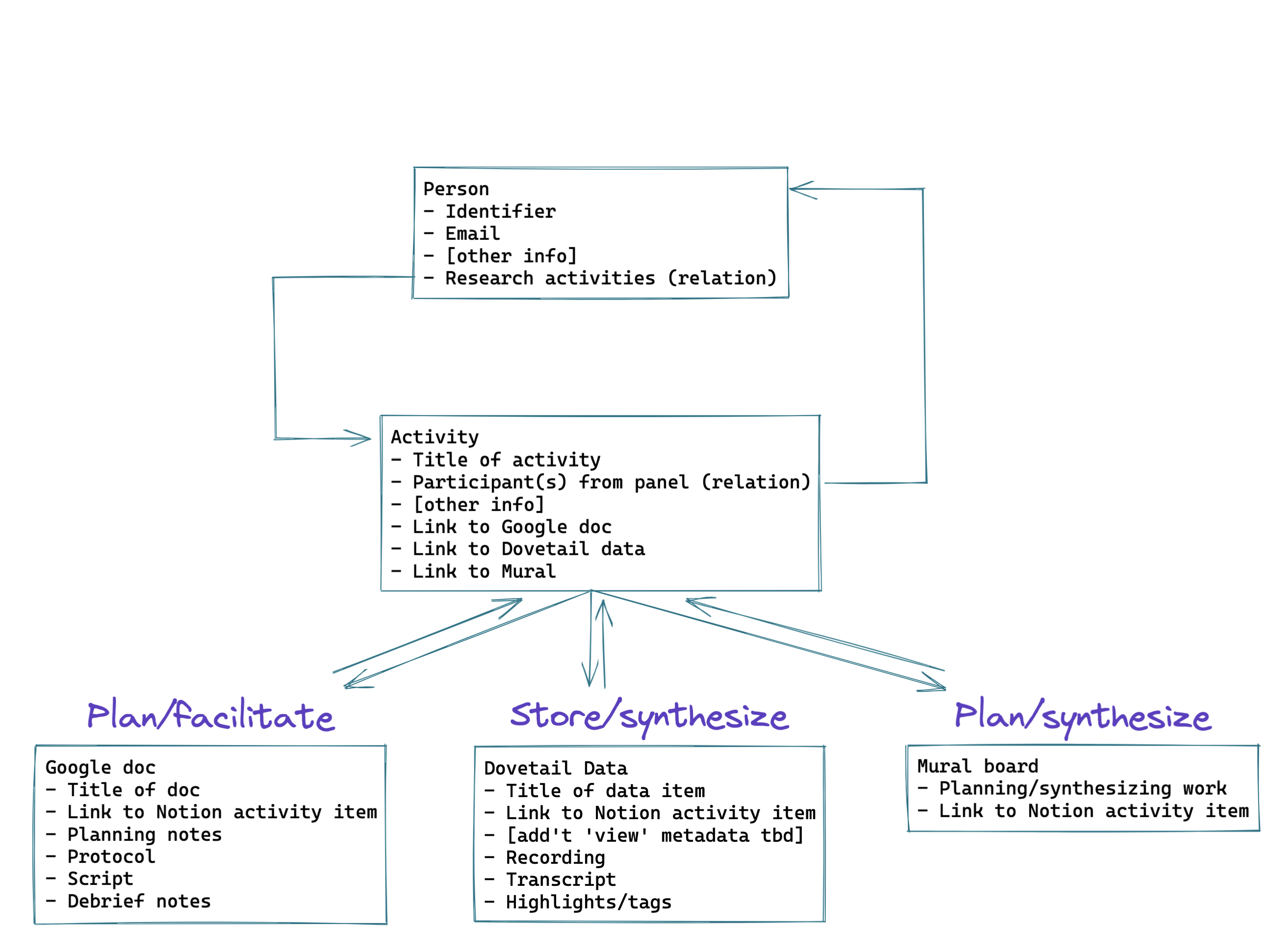
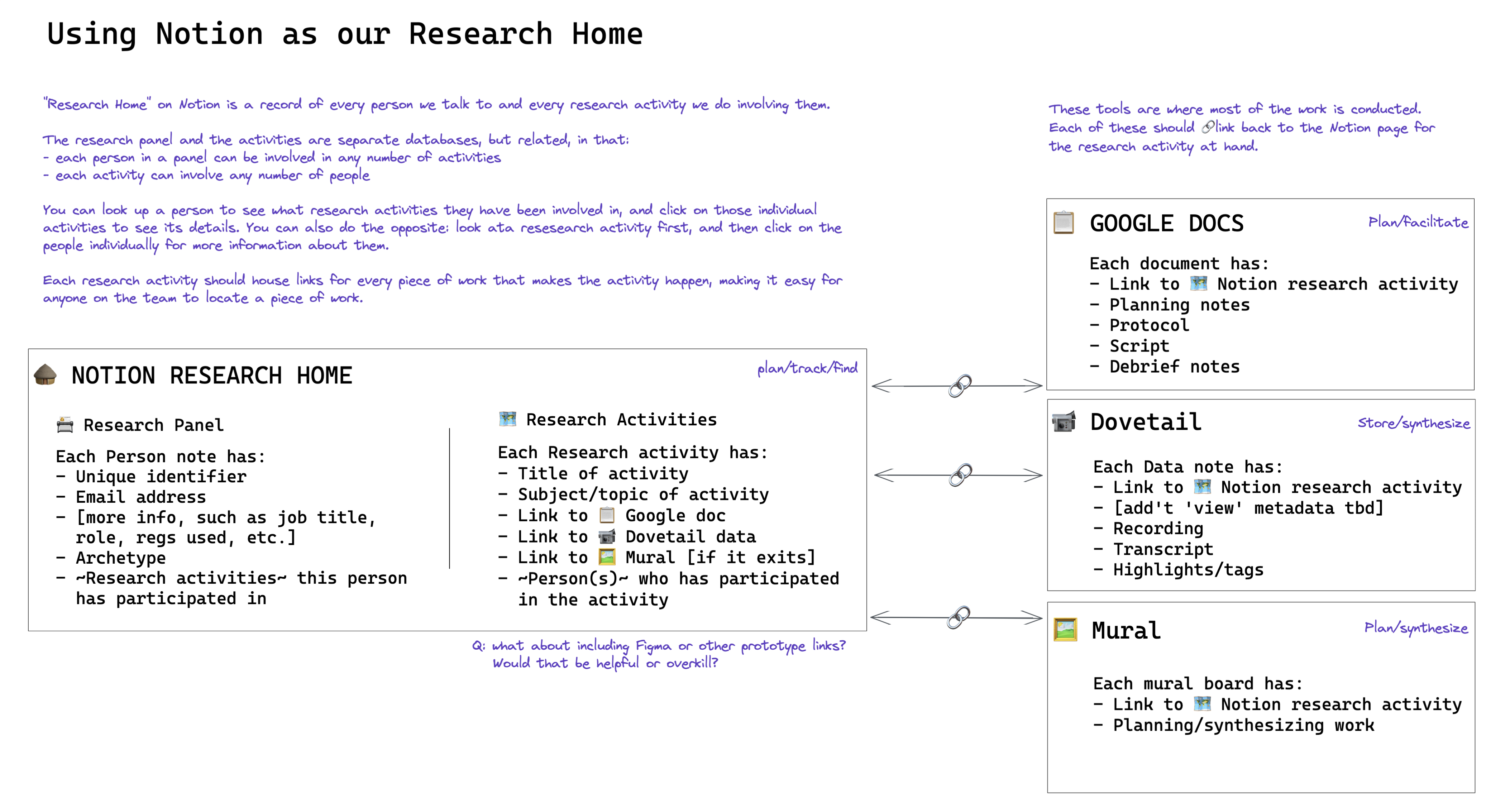
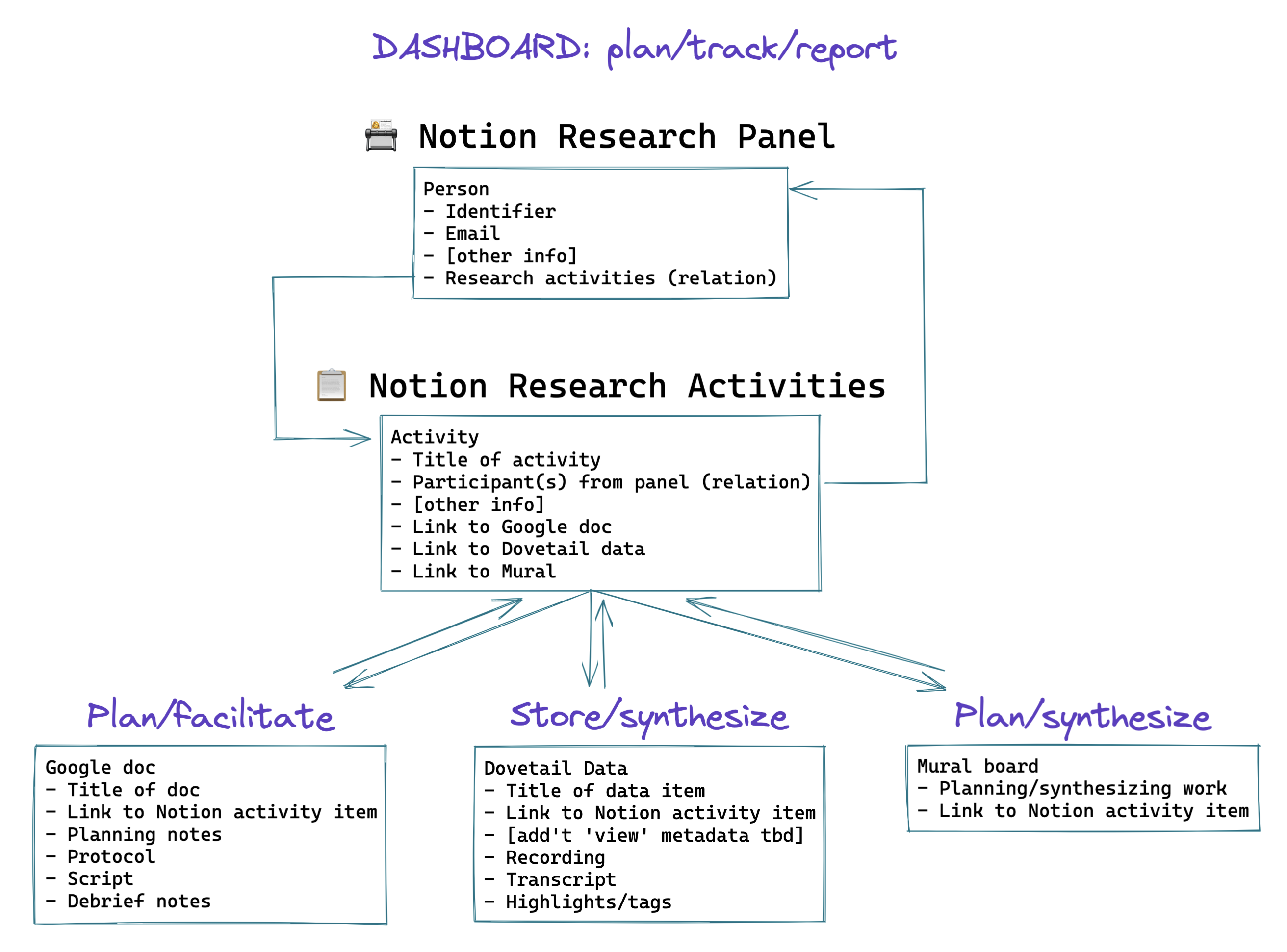
I created a conceptual model showing current state (above) vs. ideal state (below) – rough sketches in Excalidraw that I walked through with the product manager. I demonstrated how the team needed a “home” for research that connected outward to tools they already used (Dovetail, Google Docs, Mural), not a replacement system that required learning something new.
Building the Infrastructure
I designed two interconnected Notion databases:
Research Participants — who we talked to, what activities they participated in, relevant details 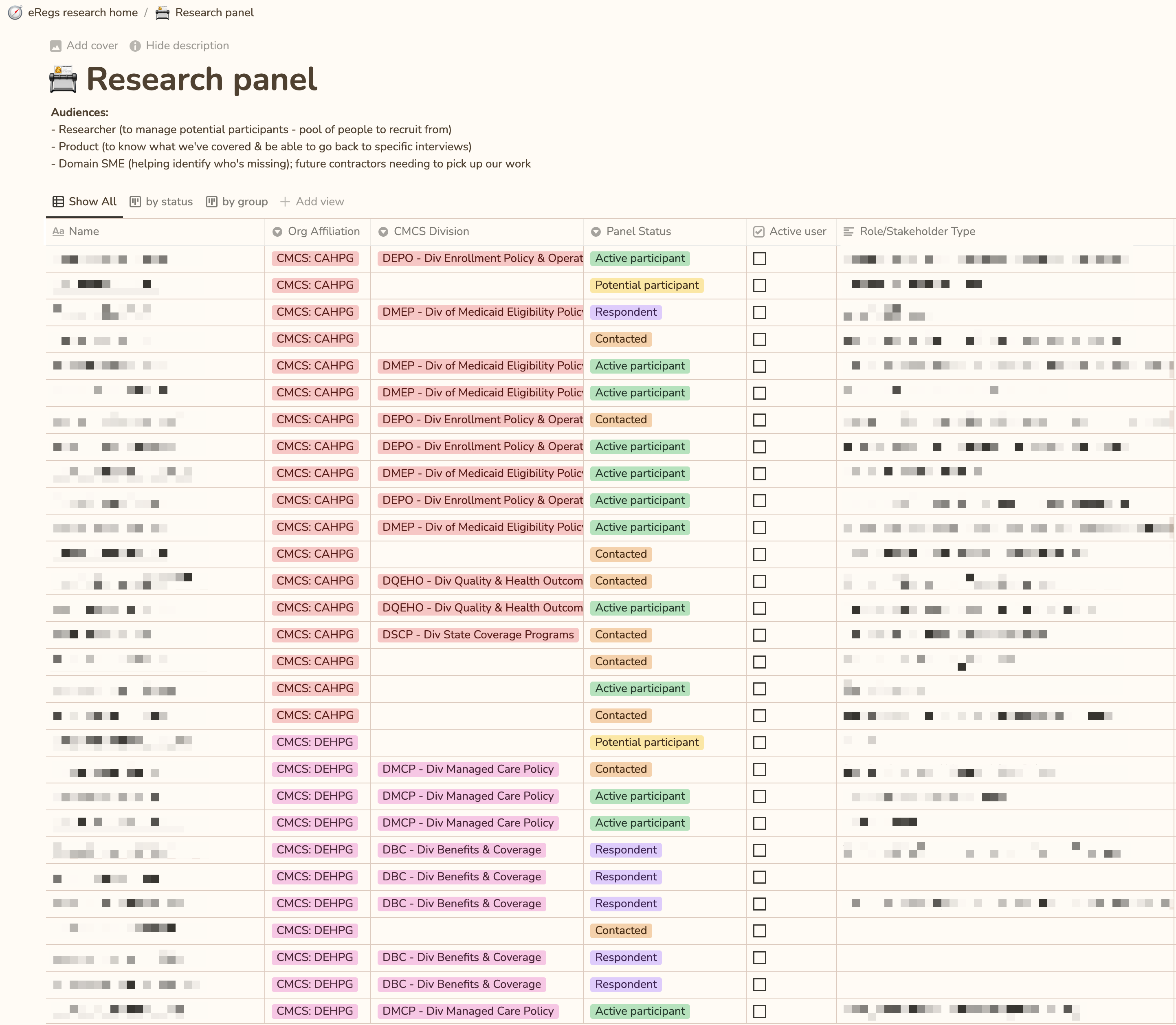
Research Activities — what research we did, who participated, links to plans, conversation guides, synthesis boards 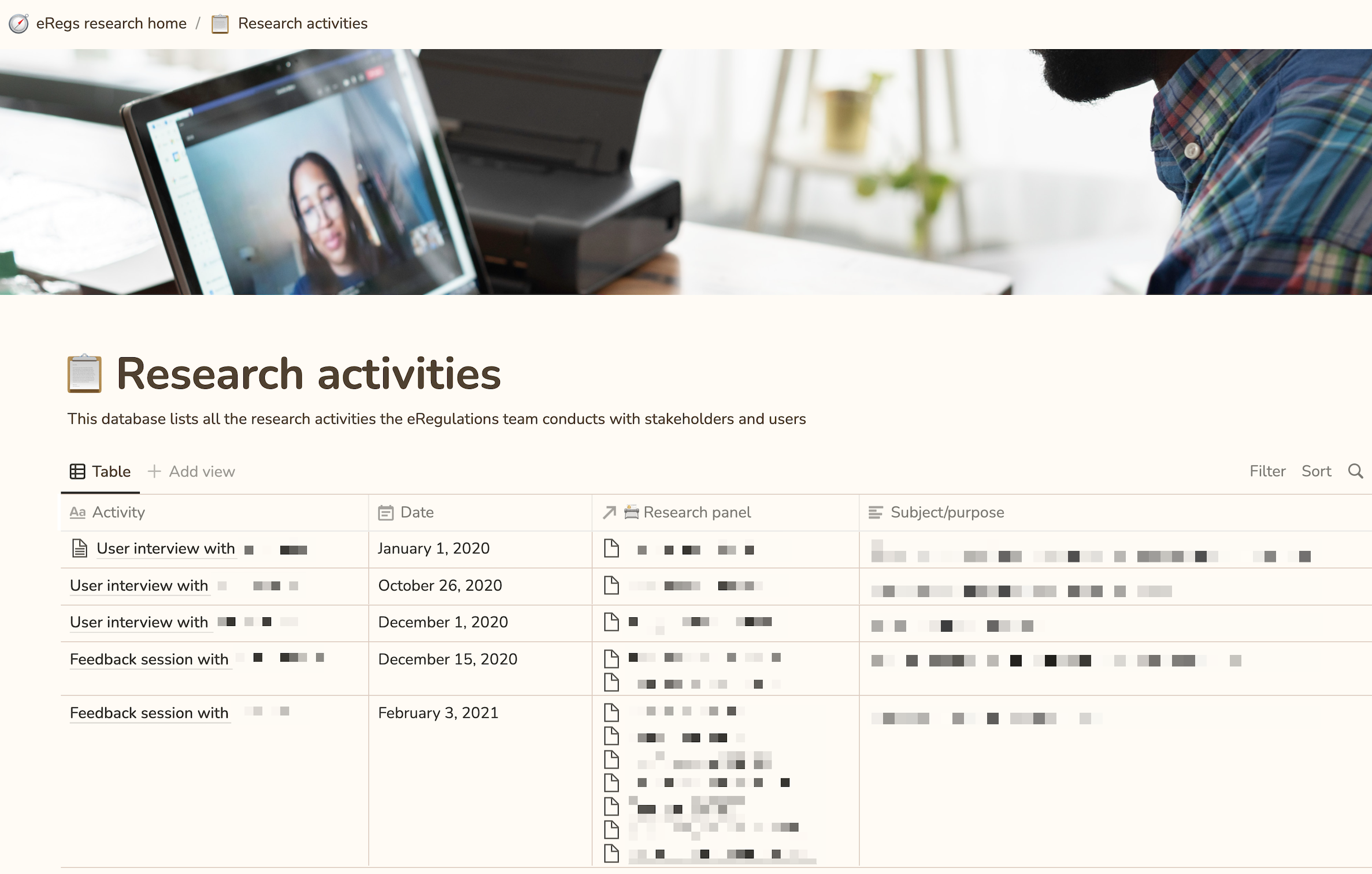
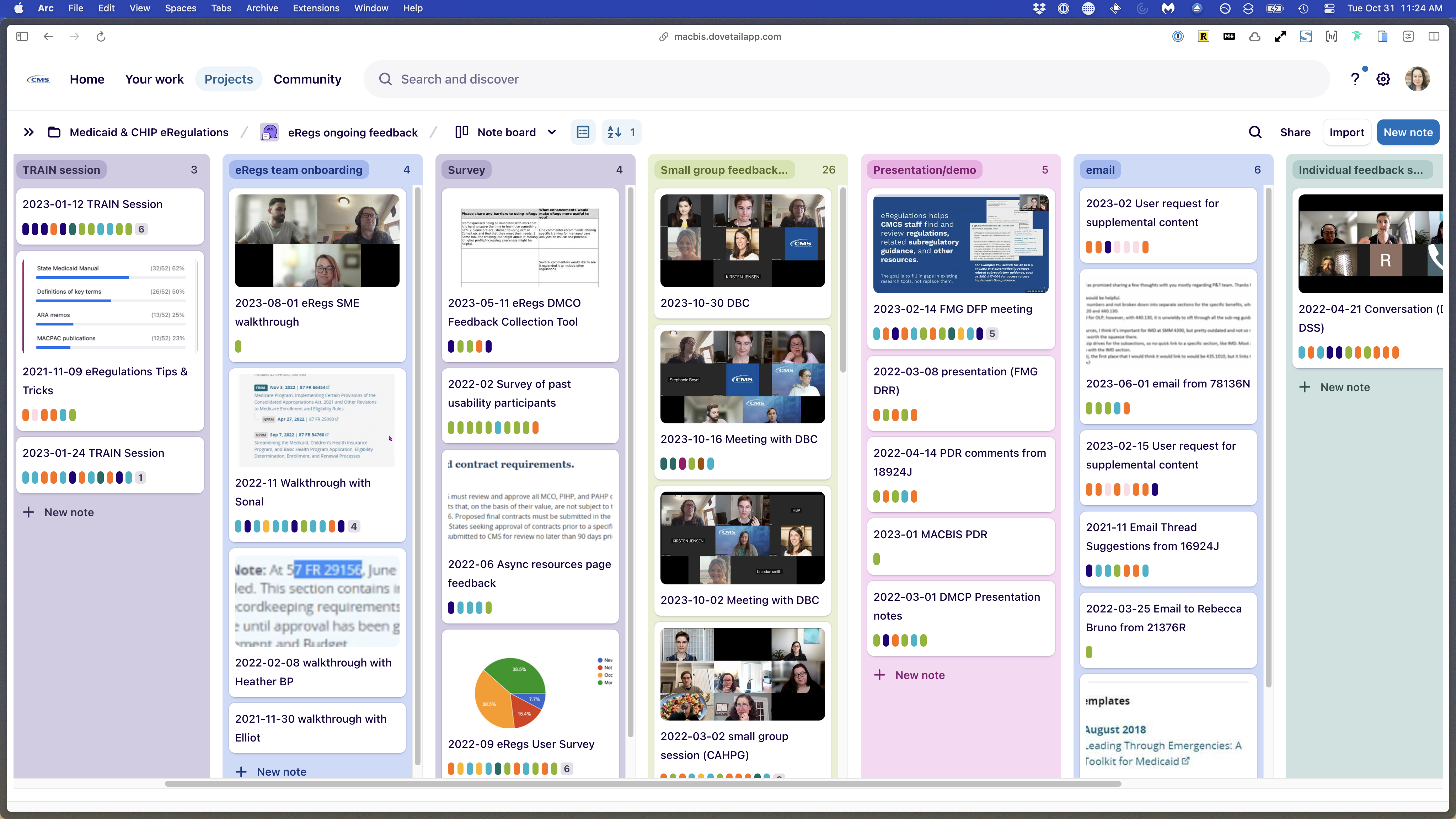
Notion became the hub. It linked out to Dovetail (our research repository), Google Docs (research plans and conversation guides), and Mural (synthesis boards). One system, multiple tools, clear connections.
I also created templates:
- Research plan template
- Conversation guide template
- Research insights template
The templates weren’t just formats, they embedded good research practice. A research plan template that starts with “What do you want to know?” forces you to think about methodology before jumping to execution.
Making Research Collaborative
I ran back-to-back evaluative research: early design concepts → mid-fidelity prototypes → live prototype testing. But I didn’t do it alone.
I paired with designers and taught them:
- How to write a research plan guided by research questions
- How to facilitate a research session
- How to do collaborative analysis and synthesis
They ran usability tests, preference tests, surveys. The repository structure meant they knew exactly where to document findings and how to connect them to previous research.
The product manager and subject matter expert/policy expert started doing secondary research—literature reviews, competitive analysis, synthesis of existing data. They didn’t have to start from scratch each time; they could leverage insights we’d already collected and carry that work forward for new initiatives.
The Shift
Before: Research was a specialist activity that only one person did, and artifacts lived in a black box. Team members cared about research but felt locked out.
After: Research became a shared practice. The team understood the structure. Multiple people could contribute—designers running tests, PM doing secondary research, SME synthesizing policy implications. New team members could step in and immediately understand what had been done and why it mattered.
The “aha moment” for the team was seeing how easy it was to use multiple systems that work together—not replacing tools, but connecting them with clear logic.
The Impact
Immediate
- Capacity expanded:
Designers, PM, and SME all contributing research activities - Research became usable:
Team could navigate it, understand it, build on it - Shared language emerged:
Everyone understood what “research question,” “insight,” “synthesis” meant
Lasting
The systems I built outlived my tenure. The team was able to backfill my position with a junior researcher instead of a senior one, because the research practice and infrastructure were strong enough that a less-experienced researcher could step in and succeed.
When the team later faced a situation where they couldn’t access users (for this policy research tool), they didn’t slow down – they didn’t have to. They had two years of organized research to draw from. They leveraged existing insights and data to keep moving forward until they could conduct new research again.
When the junior researcher who replaced me was promoted to another team, he reflected on the value of the systems I built:
“The most valuable thing was being able to go back to find things that we learned before, or research that was done before. I’ve become more appreciative of that because I’ve had to do a lot of that in my new project in Confluence. The previous team didn’t have a super solid repository, and I’ve already run into things where there was this whole chunk of research that existed that I didn’t have access to or didn’t get to read about until now. Dovetail was pretty comprehensive in how it allowed me to find past research. I think that might be a factor of the structure that existed before—especially for eRegs. I think it was solid. I greatly benefited from there being a structure in the tool when I started
Key Learnings
Systems thinking matters as much as research skill You can do brilliant research, but if no one can find it or understand it, it doesn’t compound. Building systems that make research accessible and usable is as important as the research itself.
Trust enables systems work I had buy-in from my product manager because I built a high level of trust with her over time. That trust meant she was willing to invest time in redesigning how we worked, even when it wasn’t directly tied to shipping a feature.
Templates embed best practices A good template isn’t just a format—it’s a way to encode good research practice into the team’s workflow. A research plan template that starts with research questions forces methodological thinking before execution.
Capacity building is succession planning By making research collaborative and teaching others how to do it, I made myself less necessary. That’s not a bug—it’s the goal. The team’s research capacity didn’t depend on me staying; it depended on systems and skills that could outlive my tenure.
Connect tools; don’t replace them Teams already have tools they know. The breakthrough wasn’t building a new system—it was creating a hub (Notion) that connected existing tools (Dovetail, Google Docs, Mural) with clear logic and shared language.
This work exemplifies
- Systems thinking — diagnosing organizational problems and designing solutions that scale
- Leadership without authority — influencing how a team works through trust and clear thinking, not hierarchy
- Knowledge transfer — building systems and practices that outlive your tenure
- Organizational design — understanding that research is a practice, not a person