Co-designing computer-aided tools
9 minutes read •
Table of Contents
Computer-Aided Tagging: Designing for Community Trust
Overview
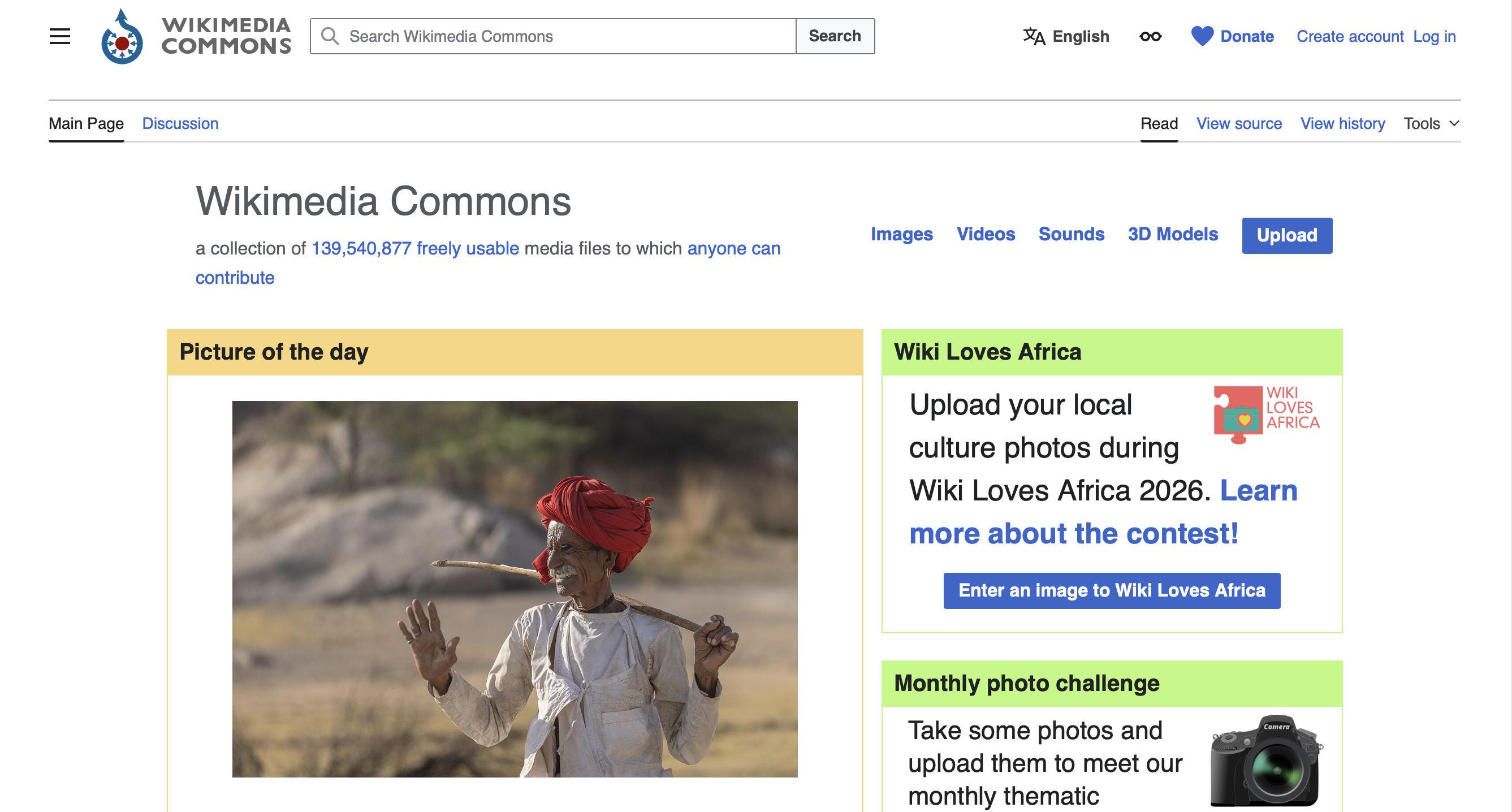
Wikimedia Commons hosts nearly 140 million freely licensed educational media files used across Wikipedia, educational platforms, and news publications worldwide. But in 2016, the platform had a critical limitation: its metadata infrastructure was built on 15-year-old technology designed for text, not multimedia.
The Alfred P. Sloan Foundation recognized this challenge and awarded Wikimedia Foundation a $3 million grant to transform Commons into a modern, machine-readable platform. The Structured Data on Commons (SDC) project was a three-year initiative to create infrastructure that would enable the global volunteer community to add, edit, and search media using structured metadata.
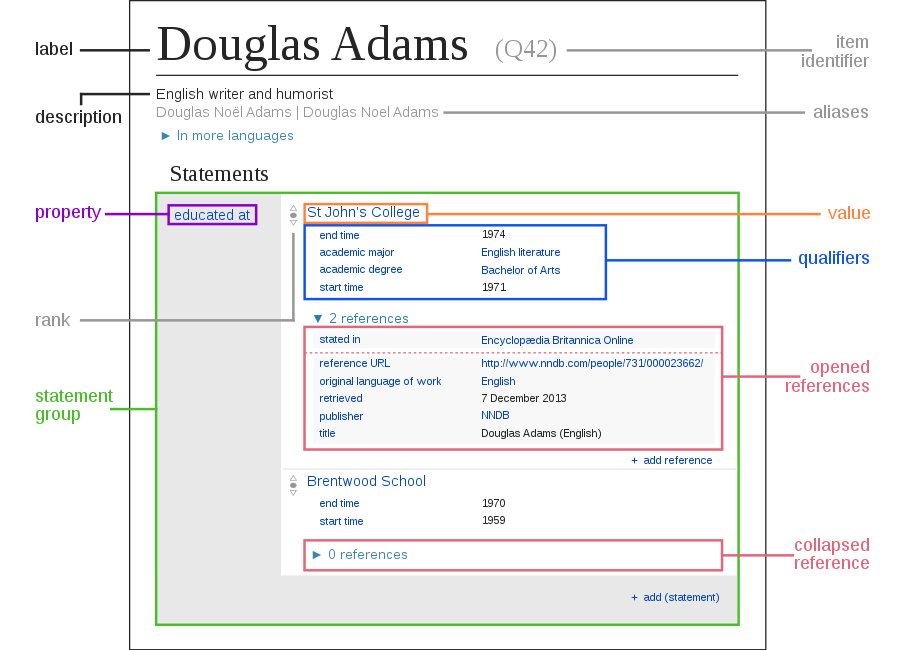
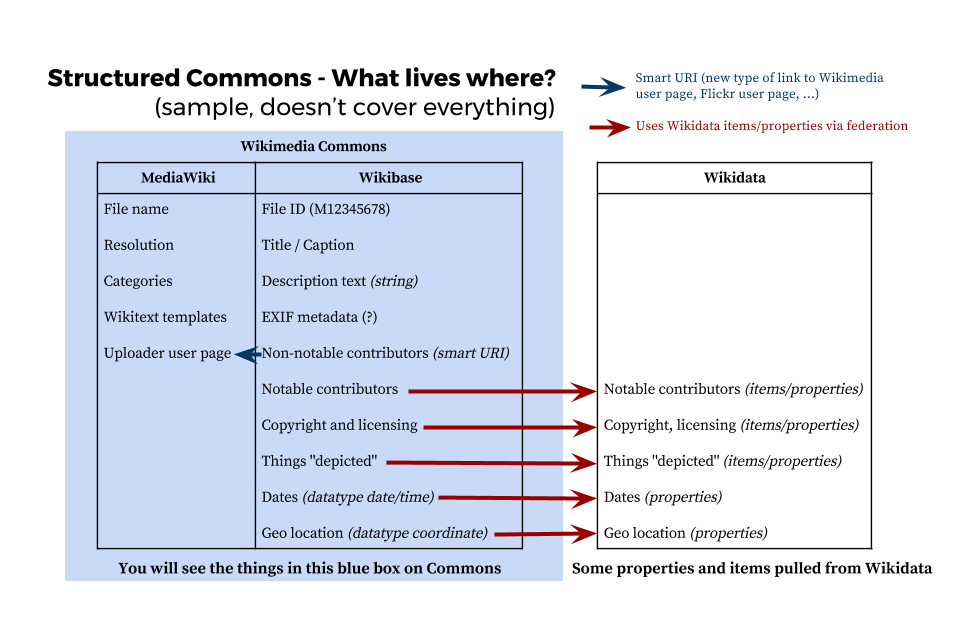
By 2019, the project had successfully created the technical foundation. Now came the next challenge: how do we help millions of volunteers actually use this infrastructure to add metadata to files?
The Challenge: Scaling Metadata Addition
The SDC infrastructure was ready, but the team faced a scaling problem: a metadata quota we needed to meet. We used personas to help think this through:
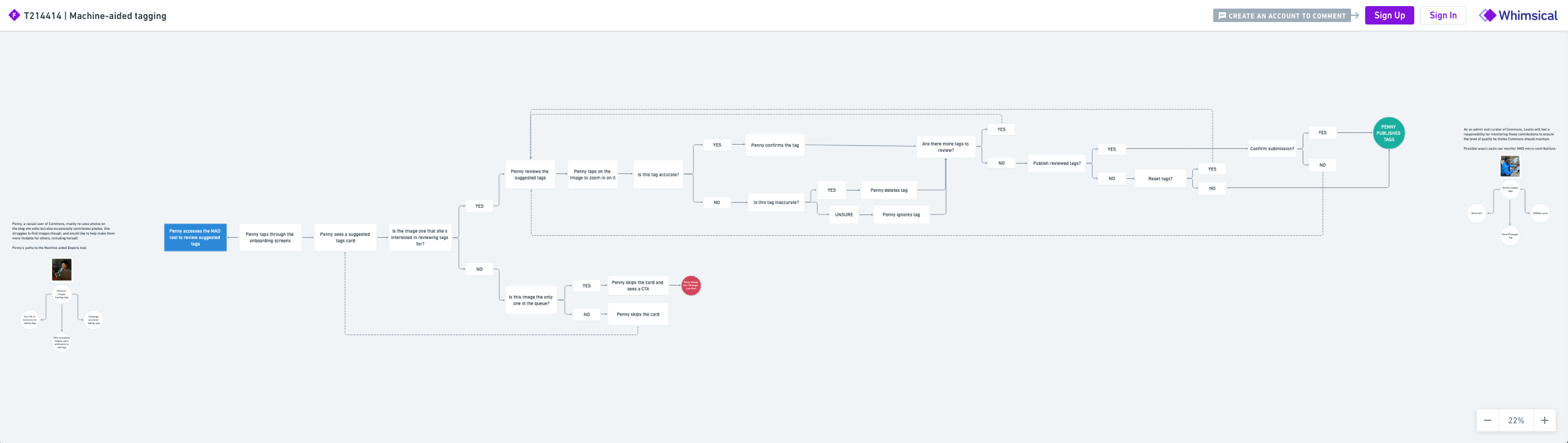
- Laszlo, an experienced Commons admin, was overwhelmed by the number of images needing metadata. Bots could help, but humans needed to choose appropriate tags (impossible to do for millions of files).
- Penny, a casual Commons uploader, wanted to make her images more discoverable, but the existing metadata editing interfaces were too complex. She needed a faster, easier way to contribute.
The core design challenge: How might we use computer vision to suggest tags while making it easy for both casual contributors and experienced curators to add accurate, consistent metadata?
My Role
As the lead UX designer on the Structured Data team, I was responsible for researching, designing, and testing the Computer-Aided Tagging (CAT) tool. I was the only full-time designer embedded on our core team, working alongside product managers, engineers, and community relations specialists. I partnered with a senior design researcher on generative research and collaborated extensively with developers on implementation.
Understanding the Community: Research & Insights
The senior design researcher and I conducted extensive generative research with the Commons community. We conducted:
- Expert interviews with long-time community members, administrators, and power users to understand historical context and pain points
- Comparative analysis of how other platforms handled suggested metadata and AI-assisted tagging
- Community consultations to gather feedback on design concepts and validate assumptions
Key Findings
Three critical insights emerged from this research:
1. Precision matters more than volume.
Unlike casual tagging systems, Commons users wanted specific tags. If an image showed a poodle, they wanted “poodle,” not “dog.” If it showed a specific painting, they wanted the painting identified, not just “painting.” Broad, generic tags were seen as less helpful than no tags at all.
2. The community was skeptical of automation but open to verification.
Human verification wasn’t optional, it was essential to community buy-in. But if verification was easy and transparent, the community was willing to work with AI-assisted tools.
3. Different user types had different needs.
Casual uploaders wanted quick, easy ways to add a few tags to their own work. Experienced curators wanted tools that could help them work through backlogs efficiently without creating additional work. Bot developers wanted APIs and data structures they could build on top of.
Design Approach: Building on Community Expertise
Based on my research, I worked with the team to establish design principles that would guide our work:
- Human verification first. Tags would never be automatically added. Users would review each suggestion and confirm or reject it.
- Respect expertise. The interface should work with the community’s existing knowledge and workflows, not replace them.
- Transparency. Users should understand where suggestions came from and why they were made.
Design Process
I created interactive prototypes in Sketch and worked closely with developers to build functional prototypes for testing. I conducted multiple rounds of usability testing:
- Testing with community members: I observed how experienced Commons contributors interacted with the interface, gathering feedback on terminology, layout, and workflows.
- Testing with new users: Using UserTesting.com, I tested designs with people unfamiliar with Commons to ensure the interface was accessible to casual contributors.
- Community consultations: I facilitated open feedback sessions where I presented design concepts and gathered input on everything from interface layouts to terminology choices.
Key Design Decisions
1. Opt-in design with notifications
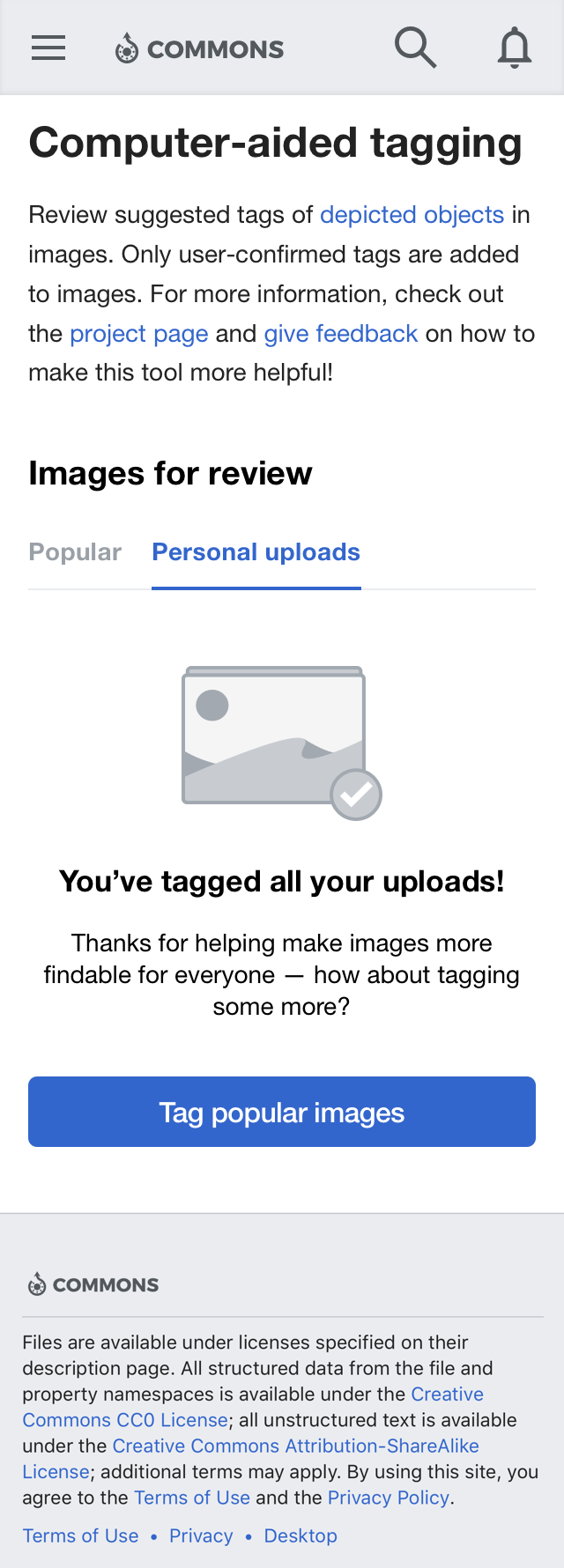
Users could opt into the tool through their preferences or during upload. Once they opted in, they’d receive notifications when their uploads were ready for tagging. This ensured engaged community members could monitor quality while respecting user autonomy.
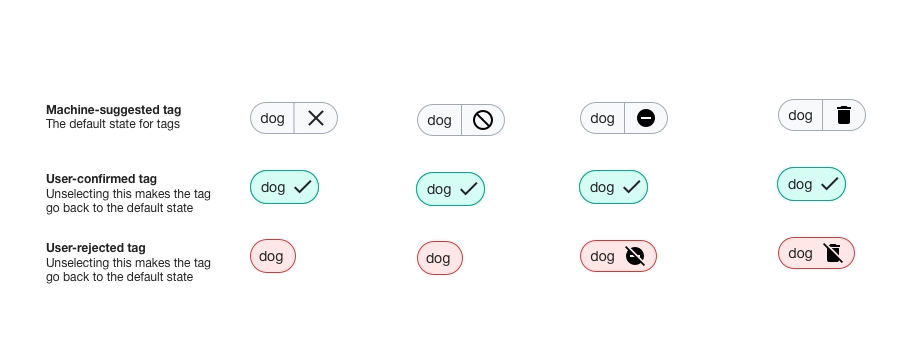
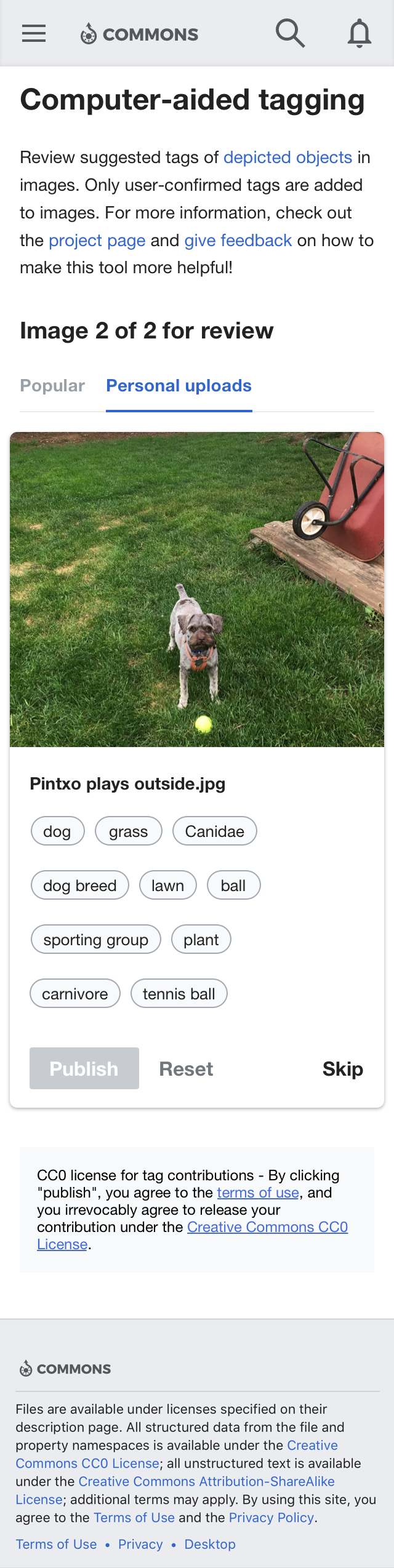
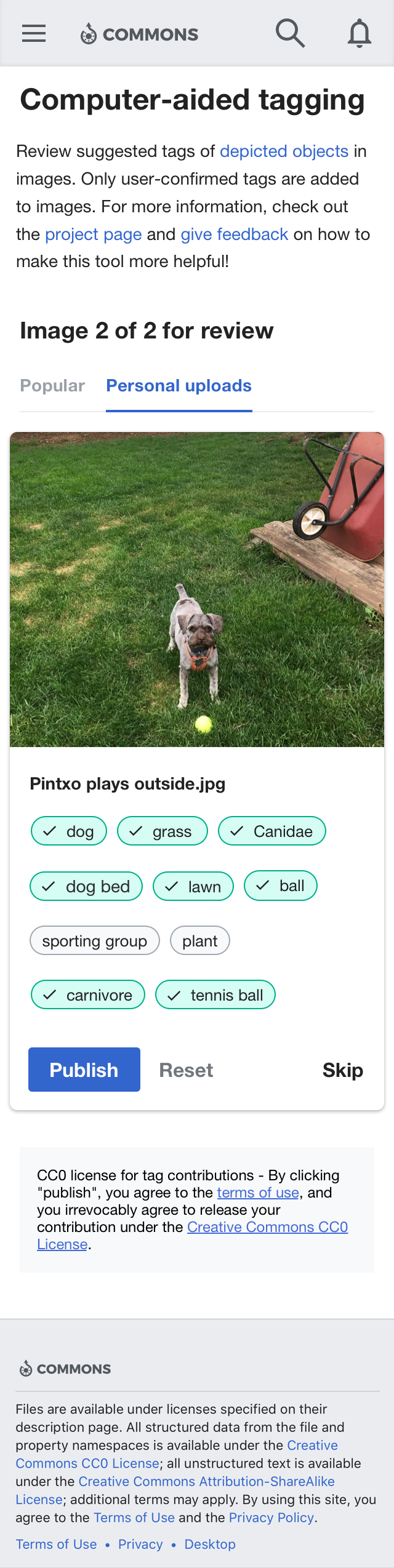
2. Simple confirm/reject/skip workflow
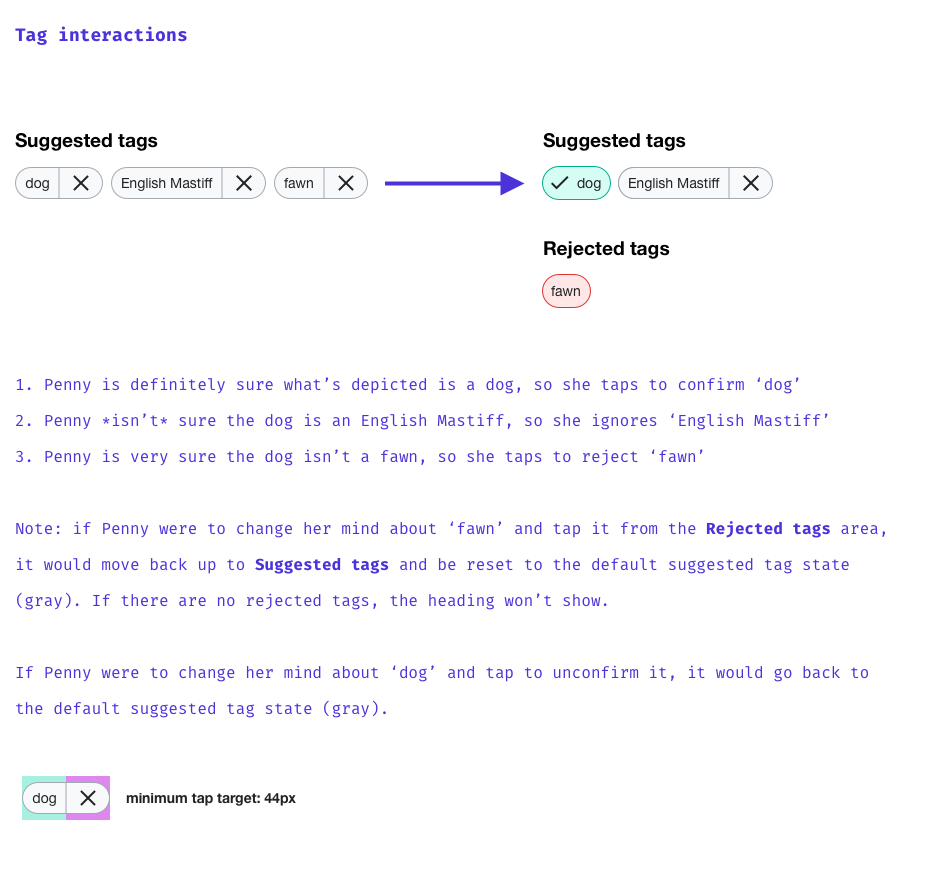
Rather than forcing users to make a decision on every tag, I designed a workflow where users could:
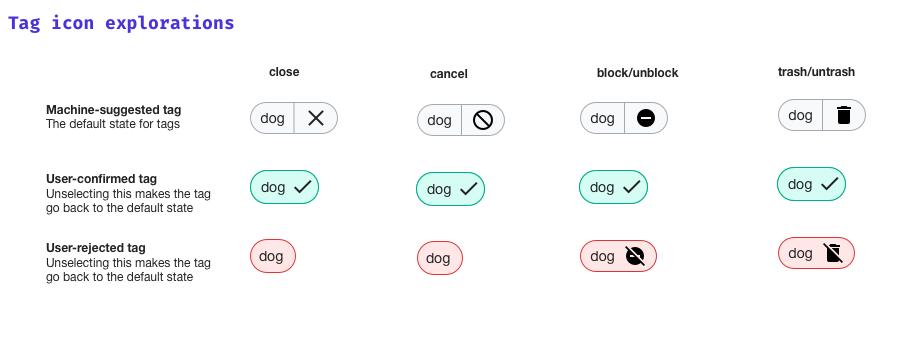
- Confirm a tag they agreed with
- Reject a tag they disagreed with
- Skip a tag they weren’t sure about
This reduced friction and made the task feel less overwhelming.
3. Visible feedback on quality
I designed the interface to show users which tags were being accepted and rejected by the community, creating a feedback loop that helped improve the model over time.
4. Mobile-first design
I designed the interface to work on mobile devices, recognizing that many community members contribute from phones and tablets.
5. Privacy-first architecture
No personal information (IP addresses, usernames) was sent to the computer vision provider. All suggestions were stored separately until human confirmation. This addressed community concerns about data privacy and corporate involvement.
Results: Enabling Community Contribution at Scale
The Computer-Aided Tagging tool saw meaningful adoption:
- 5,809 users made edits via the tool by February 2022
- 341,957 files had edits made through Computer-Aided Tagging
- 72% of edits came from the file uploaders themselves, showing that casual users found the tool valuable for tagging their own work
The tool successfully lowered the barrier to entry for casual contributors while providing a workflow that experienced curators could integrate into their work.
Community-Built Tools & Ecosystem
The success of the SDC infrastructure and CAT tool inspired the community to build additional tools:
- ISA Tool - A caption and tagging tool for organized campaigns
- AC/DC (Add to Commons/Descriptive Claims) - Batch statement addition tool
- QuickStatements integration - Bulk metadata editing capabilities
These community-developed tools demonstrated that we had successfully created infrastructure that empowered volunteers to build solutions addressing their specific needs.
Broader Impact
The Computer-Aided Tagging tool was part of a larger success story. The Structured Data on Commons project:
- Exceeded the target metric of 5 million files with structured metadata
- Secured follow-up funding from the Alfred P. Sloan Foundation for “Structured Data Across Wikimedia,” extending the work to Wikipedia itself
- Created reusable design patterns that other Wikimedia projects could build on
The project demonstrated that complex technical infrastructure can be made accessible through user-centered design, community collaboration, and iterative development.
Key Learnings
This project taught me several important lessons about designing for communities:
1. Community expertise is non-negotiable.
The Commons community had spent years developing sophisticated practices around metadata and organization. Successful design meant respecting that expertise and building with the community, not for them. The most valuable feedback came from experienced community members who understood the nuances of what made metadata useful.
2. Verification is a feature, not a bug.
Rather than trying to make the AI perfect, I designed the interface around human verification. This turned out to be a strength: it gave the community control, built trust, and created a feedback loop that could improve the system over time. Users were willing to work with AI-assisted tools as long as they had the final say.
3. Different user types need different interfaces.
Casual uploaders and experienced curators had different needs. Rather than designing one interface for everyone, I designed progressive disclosure that started simple but allowed power users to access more advanced options. This made the tool accessible to both groups.
4. Iteration with the community is essential.
The most valuable insights came from testing with actual community members, not just usability testing with general users. Community members understood the context, the standards, and the workflows in ways that outsiders couldn’t. Regular community consultations weren’t just good practice, they were essential to getting the design right.
5. Design is about enabling, not controlling.
The goal wasn’t to make the community tag images a certain way. It was to make it easier for them to do what they already wanted to do. The best design got out of the way and let the community’s expertise shine through.
Continuing the Work
The Computer-Aided Tagging tool was one piece of a larger vision: making human knowledge more discoverable across languages and cultures. The success of this project led to follow-up funding and new initiatives:
- Structured Data Across Wikimedia extended structured metadata work to Wikipedia itself
- Community-built tools continue to leverage the infrastructure we created
- New research is exploring how to scale metadata addition even further